> ## Documentation Index
> Fetch the complete documentation index at: https://docs.tryinvesti.com/llms.txt
> Use this file to discover all available pages before exploring further.
# Earnings and transcripts
> Quarter-by-quarter results with estimates, surprises, full earnings call transcripts, and filings.
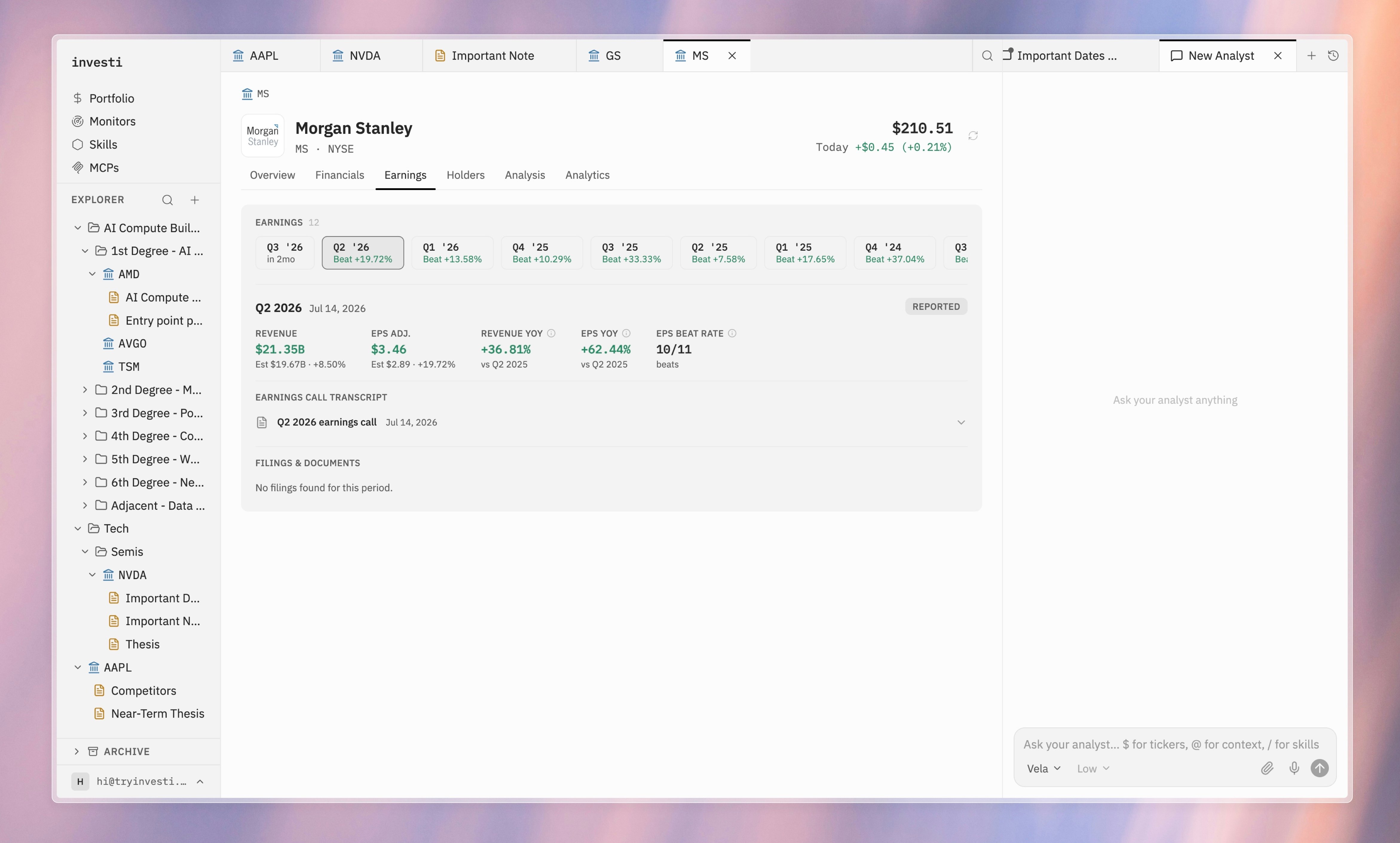
The **Earnings** section of a company tab shows results one quarter at a time, with chips for every available quarter across the company's history.
 ## Per-quarter view
Select a quarter to see:
* A **Reported** or **Upcoming** badge.
* **Revenue** and **adjusted EPS**: actual against estimate, with the surprise percentage.
* **Year-over-year growth** for both revenue and EPS, and the company's EPS beat rate.
## Earnings call transcripts
Each reported quarter has an expandable **Earnings call transcript** section with the full transcript inline. For upcoming quarters, the section notes that the transcript will be available after the call.
Transcripts are where the analyst shines: ask `What did management say about capex on the $MSFT call?` and it reads the transcript for you, with the source one click away here.
## Filings and documents
Below the transcript, **Filings & documents** lists the filings scoped to the selected quarter.
## Per-quarter view
Select a quarter to see:
* A **Reported** or **Upcoming** badge.
* **Revenue** and **adjusted EPS**: actual against estimate, with the surprise percentage.
* **Year-over-year growth** for both revenue and EPS, and the company's EPS beat rate.
## Earnings call transcripts
Each reported quarter has an expandable **Earnings call transcript** section with the full transcript inline. For upcoming quarters, the section notes that the transcript will be available after the call.
Transcripts are where the analyst shines: ask `What did management say about capex on the $MSFT call?` and it reads the transcript for you, with the source one click away here.
## Filings and documents
Below the transcript, **Filings & documents** lists the filings scoped to the selected quarter.