> ## Documentation Index
> Fetch the complete documentation index at: https://docs.tryinvesti.com/llms.txt
> Use this file to discover all available pages before exploring further.
# Keyboard shortcuts
> Every keyboard shortcut in the Investi studio.
On macOS use Cmd; on Windows and Linux use Ctrl.
 ## Global
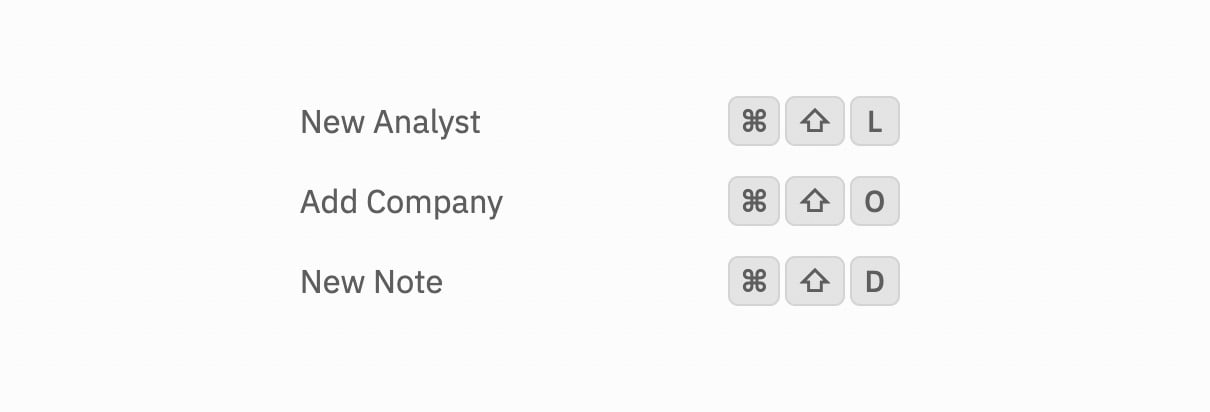
| Shortcut | Action |
| -------------------------------------------- | ---------------- |
| Cmd+Shift+L | New analyst chat |
| Cmd+Shift+O | Add a company |
| Cmd+Shift+D | New note |
## Explorer
| Shortcut | Action |
| ------------------------------------------------ | ---------------------------------------------- |
| Up / Down | Move through the tree |
| Shift+Up / Down | Extend the selection |
| Right / Left | Expand / collapse a folder (or jump to parent) |
| Enter | Toggle a folder open or closed |
| F2 | Rename the selected item |
| Delete / Backspace | Delete the selected items |
| Cmd+A | Select everything |
| Esc | Clear the selection |
Mouse modifiers: Cmd-click toggles an item in and out of the selection, Shift-click selects a range, and Shift+Cmd-click adds a range to the existing selection.
## Chat composer
| Shortcut | Action |
| ------------------------------ | ---------------------------- |
| Enter | Send the message |
| Enter (empty input) | Send the next queued message |
| Esc | Cancel an inline edit |
## Onboarding tour
| Shortcut | Action |
| ----------------------------------- | ------------------------------------- |
| Right / Enter | Next step (finishes on the last step) |
| Left | Previous step |
| Esc | Exit the tour |
## Global
| Shortcut | Action |
| -------------------------------------------- | ---------------- |
| Cmd+Shift+L | New analyst chat |
| Cmd+Shift+O | Add a company |
| Cmd+Shift+D | New note |
## Explorer
| Shortcut | Action |
| ------------------------------------------------ | ---------------------------------------------- |
| Up / Down | Move through the tree |
| Shift+Up / Down | Extend the selection |
| Right / Left | Expand / collapse a folder (or jump to parent) |
| Enter | Toggle a folder open or closed |
| F2 | Rename the selected item |
| Delete / Backspace | Delete the selected items |
| Cmd+A | Select everything |
| Esc | Clear the selection |
Mouse modifiers: Cmd-click toggles an item in and out of the selection, Shift-click selects a range, and Shift+Cmd-click adds a range to the existing selection.
## Chat composer
| Shortcut | Action |
| ------------------------------ | ---------------------------- |
| Enter | Send the message |
| Enter (empty input) | Send the next queued message |
| Esc | Cancel an inline edit |
## Onboarding tour
| Shortcut | Action |
| ----------------------------------- | ------------------------------------- |
| Right / Enter | Next step (finishes on the last step) |
| Left | Previous step |
| Esc | Exit the tour |