> ## Documentation Index
> Fetch the complete documentation index at: https://docs.tryinvesti.com/llms.txt
> Use this file to discover all available pages before exploring further.
# Notes and the editor
> Markdown notes with autosave, preview, version history, and diff review for analyst proposals.
Notes are where your thinking lives: observations, questions, theses, and post-mortems. They sit in the explorer next to the companies they describe: a note inside {"$NVDA"} is your NVDA record.
 ## Writing
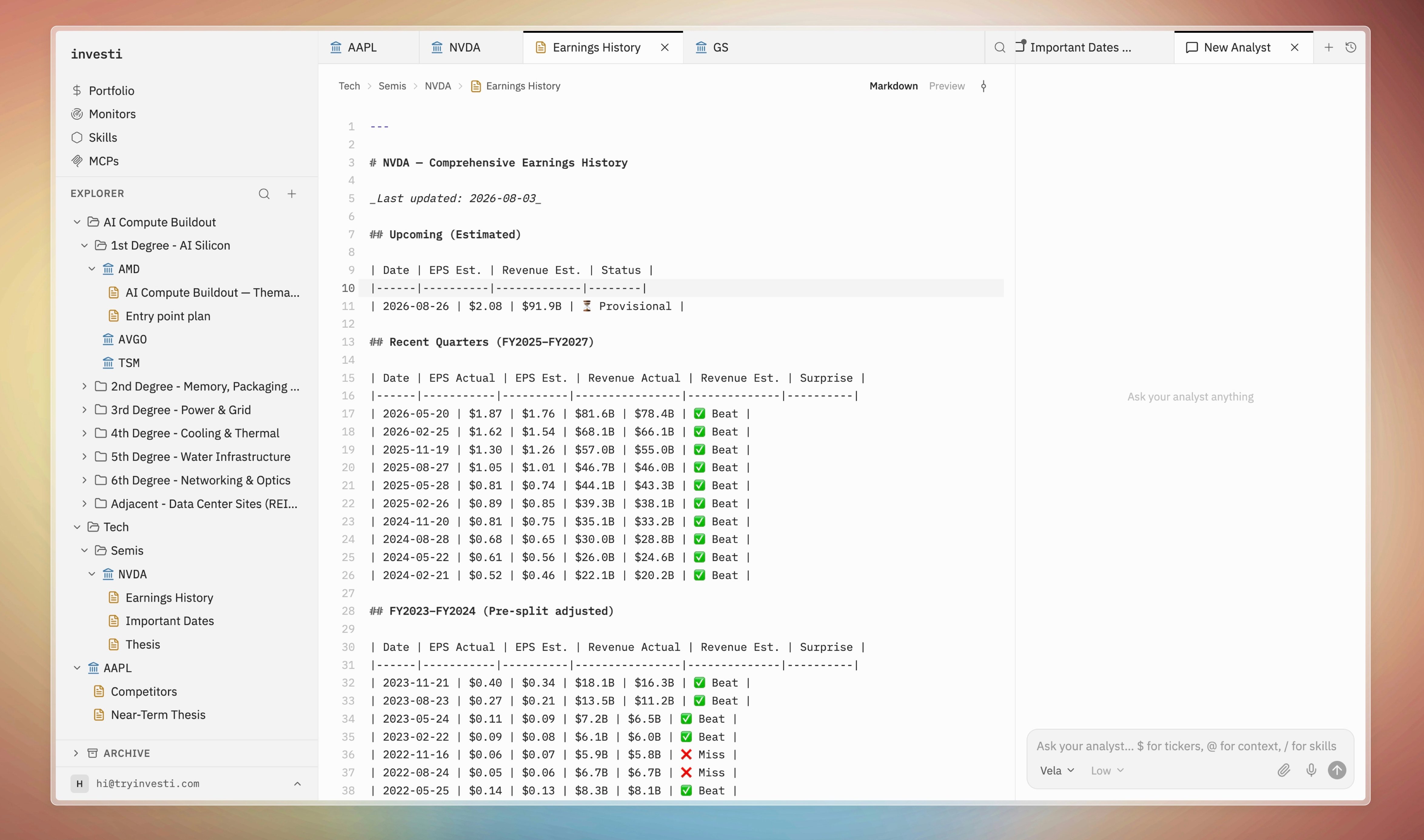
Notes open as tabs with two modes, toggled at the top:
* **Markdown**: a code editor with markdown syntax highlighting, line numbers, undo history, and line wrapping.
* **Preview**: the rendered document. Click anywhere in the preview to jump back into editing.
Each note remembers which mode you left it in. Mentions written in a note render as [colored chips](/analyst/mentions#chip-colors) in preview, the same as in chat: {"$NVDA"}, {"@Tech/Ideas/"}.
## Autosave
Notes save automatically about a second and a half after you stop typing; a pulsing "Saving…" dot confirms it. Every save also records a revision, so nothing is ever lost to an edit.
## Version history
The history icon in the note toolbar opens a timeline of every revision, filterable to the last hour or day. From the timeline you can:
* **Diff any version** against the one before it ("Show changes vs previous version").
* **Restore a version** with "Make this version the current note". Restores are non-destructive: the old version becomes a *new* revision at the head, so the history itself is never rewritten.
## Analyst proposals
When the analyst proposes an edit to a note, the note shows a review bar with a side-by-side diff and **Approve / Decline** buttons. The full flow is covered in [Approving changes](/analyst/approvals).
Hand a note to the analyst as context with `@`, for example {"@Tech/Semis/$NVDA/Thesis"}, and ask it to challenge the thesis against the latest quarter.
## Writing
Notes open as tabs with two modes, toggled at the top:
* **Markdown**: a code editor with markdown syntax highlighting, line numbers, undo history, and line wrapping.
* **Preview**: the rendered document. Click anywhere in the preview to jump back into editing.
Each note remembers which mode you left it in. Mentions written in a note render as [colored chips](/analyst/mentions#chip-colors) in preview, the same as in chat: {"$NVDA"}, {"@Tech/Ideas/"}.
## Autosave
Notes save automatically about a second and a half after you stop typing; a pulsing "Saving…" dot confirms it. Every save also records a revision, so nothing is ever lost to an edit.
## Version history
The history icon in the note toolbar opens a timeline of every revision, filterable to the last hour or day. From the timeline you can:
* **Diff any version** against the one before it ("Show changes vs previous version").
* **Restore a version** with "Make this version the current note". Restores are non-destructive: the old version becomes a *new* revision at the head, so the history itself is never rewritten.
## Analyst proposals
When the analyst proposes an edit to a note, the note shows a review bar with a side-by-side diff and **Approve / Decline** buttons. The full flow is covered in [Approving changes](/analyst/approvals).
Hand a note to the analyst as context with `@`, for example {"@Tech/Semis/$NVDA/Thesis"}, and ask it to challenge the thesis against the latest quarter.