

Attaching files
Use the paperclip button in the composer, or drag files onto it. The analyst can read the attachment alongside your question, which is useful for a broker note, an export, or a screenshot. Accepted file types:
Each file can be up to 20 MB. Legacy binary
.doc files are not supported; save as .docx first. Files upload as soon as you add them; sending waits until uploads finish.
Working with data attachments
The analyst does more than read a CSV, TSV, or Excel file as text. It has a notebook that opens the file, runs calculations, and filters or reshapes the data before answering. It’s the same kind of work you’d do in a spreadsheet, just driven by your question instead of formulas.In this holdings export, which positions are above 5% of the portfolio?
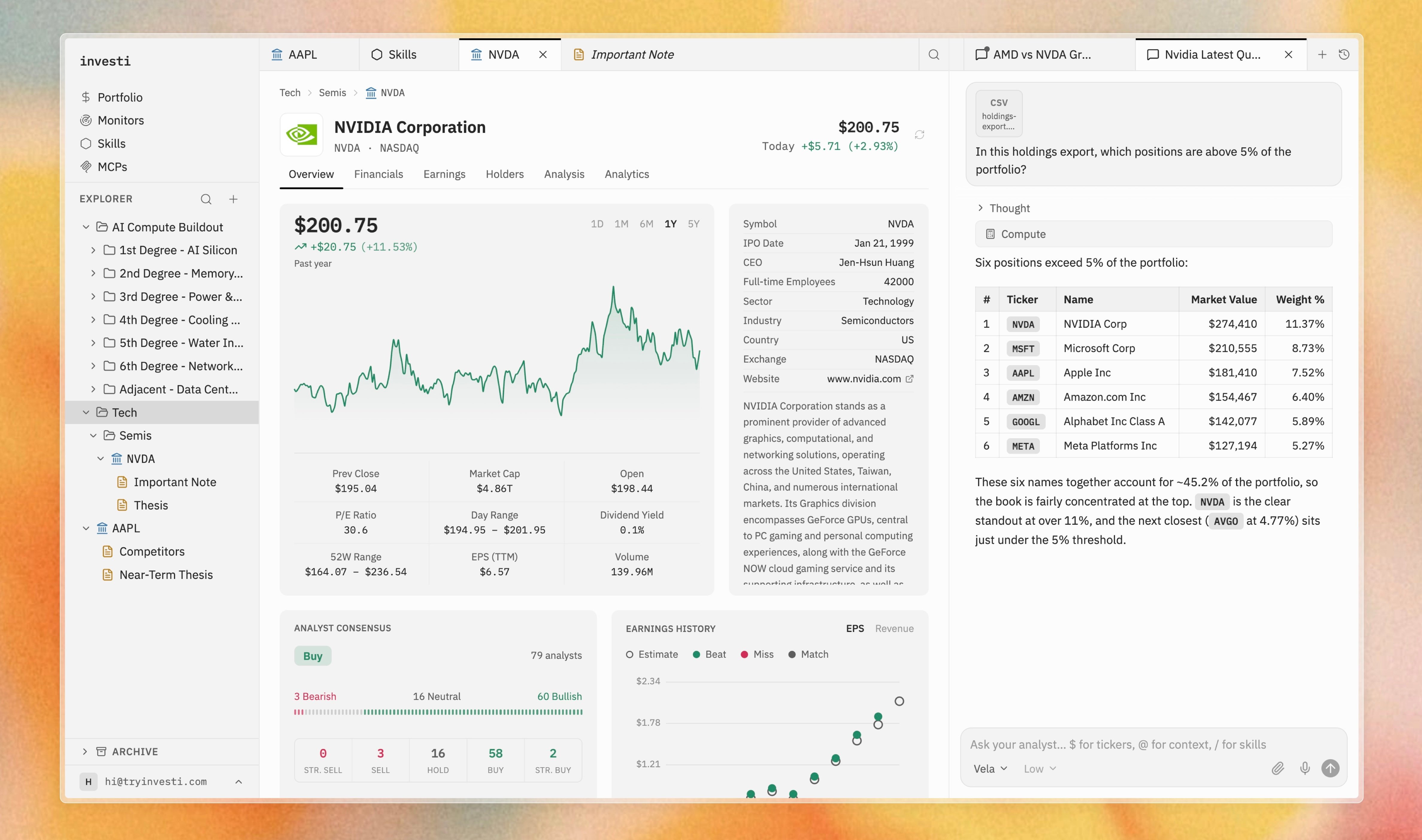
If the holdings are your own, you can skip the export entirely: connect your brokerage and the analyst works from your actual positions and weights, no file required.
Voice dictation
Select the microphone button (Dictate) in the composer to speak instead of type. Sending is disabled while a recording is in progress.1
Start recording
Select the mic. It shows a spinner while connecting, then turns into a red stop button.
2
Speak
Your words stream into the input as live text, appended after anything already typed.
3
Stop and send
Select the stop button to finish, then edit or send as usual.