

SKILL.md file: YAML frontmatter, then the instructions the analyst follows when the skill is active.
Create a skill
In the Skills view, select + to open the skill editor with a starting template:SKILL.md
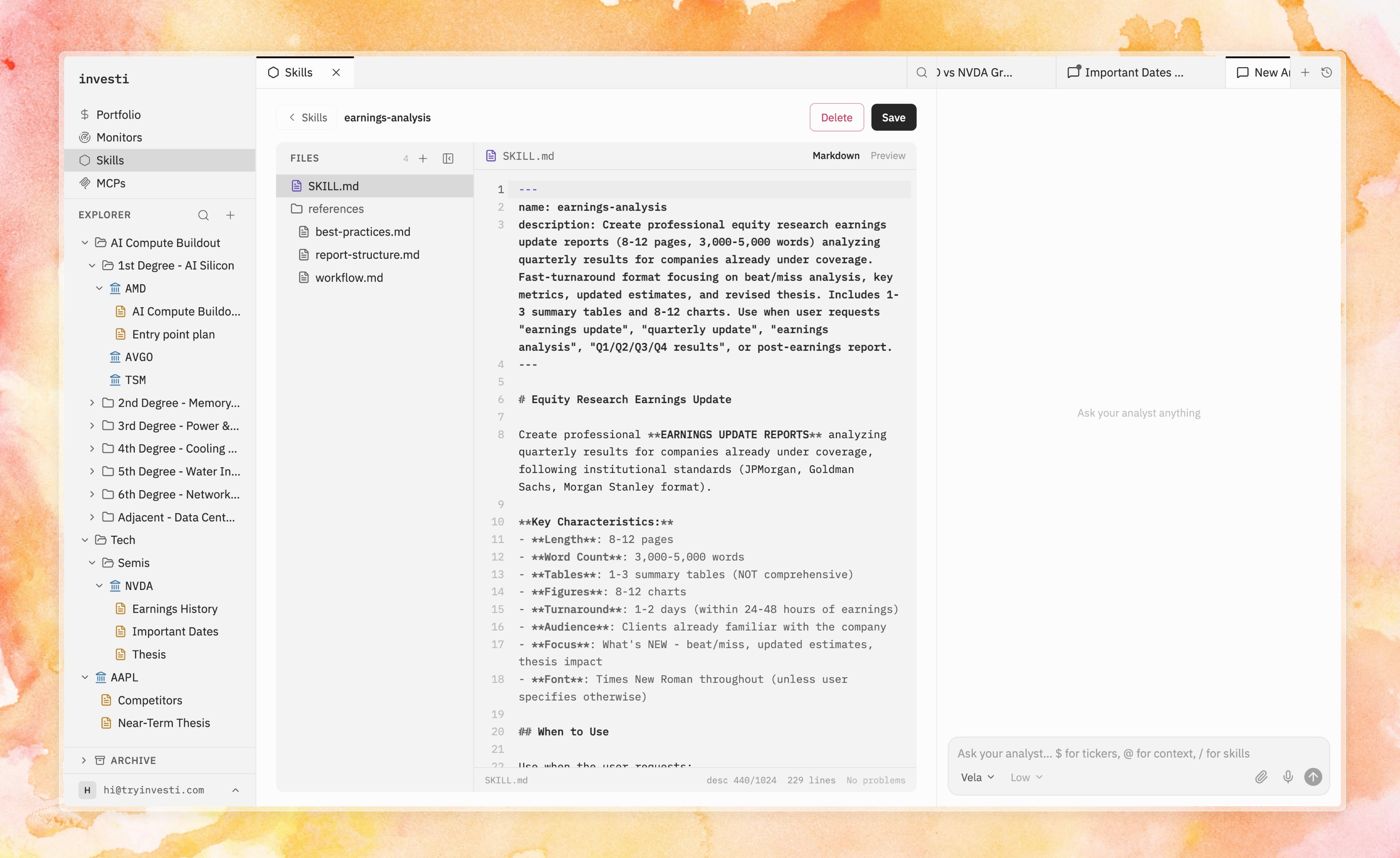
The SKILL.md editor with the file explorer, markdown editing, and preview
SKILL.md plus any bundled reference files, with markdown editing, preview, and — when the analyst proposes changes to a skill — the same diff review used for notes.
Frontmatter rules
Reference files and assets
Skills can bundle extra files next toSKILL.md: a methodology document, a report template, a checklist. The analyst can read them when running the skill, and you can hand one directly to the analyst in any chat with mentions. Binary assets (images, PDFs, spreadsheets) are kept read-only with preview and download.
Tips for skills that steer
- Describe when, not just what. The description drives automatic discovery: “Use when analyzing a new earnings report” beats “Earnings analysis”.
- Write instructions as a process. Numbered steps with explicit outputs (“produce a table of…”, “end with a verdict…”) produce consistent runs.
- Encode your standards. Thresholds, red flags, required checks — the analyst applies them every time, which is the point: discipline, made repeatable.
- Remember the boundary. Skills change the analyst’s method, never its permissions. Anything it wants to write to your notes still arrives as a diff you approve.